FanTags Mobile
Hashtag workflow on mobile without the clutter
FanTags Mobile is a lightweight extension for Fansly creators who need fast hashtag control on phone layouts. Sync tags, filter quickly, and insert ready-to-post sets in seconds.
About this extension
Built for creators who post often and need reliable hashtag tooling in a mobile-sized workspace.
Database Sync
Automatically fetch and sync hashtags from database.
Local Caching
Blazing fast performance with local storage caching for offline access.
Category Management
Organize your tags into custom categories for quick insertion.
Negative Tags
Easily manage and filter out banned or unwanted tags.
Composer Integration
Insert tags randomly or manually directly into the Fansly composer with a single tap.
Filtering and Sorting
Advanced filters for global views, post counts, and more to help you pick the best tags.
Live screenshots
Real captures from the extension flow, including sync, categories, and quick composer insertion.
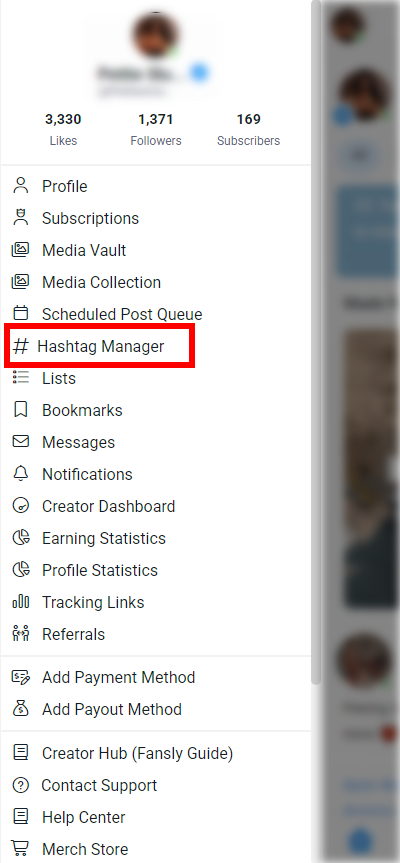
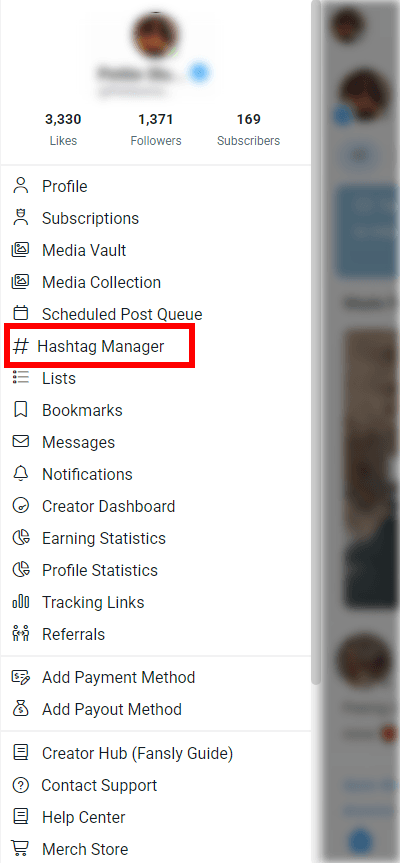
Native menu integration
Launch FanTags Mobile from the Fansly side menu through the Hashtag Manager entry.
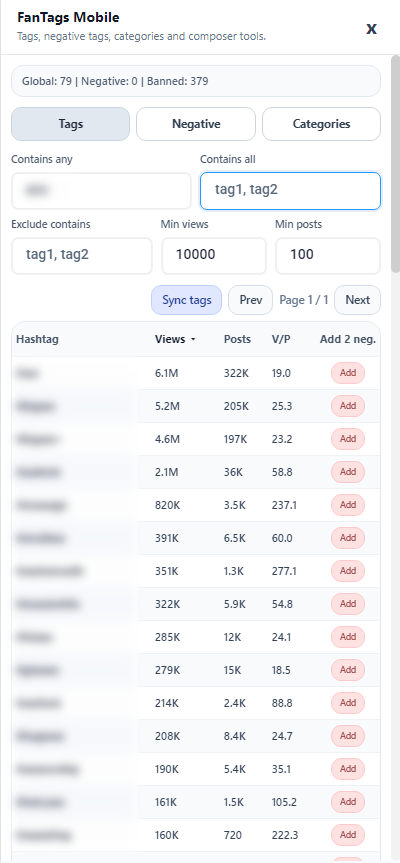
Advanced filtering and sorting
Filter by include/exclude terms, min views, and min posts to keep only strong tags.
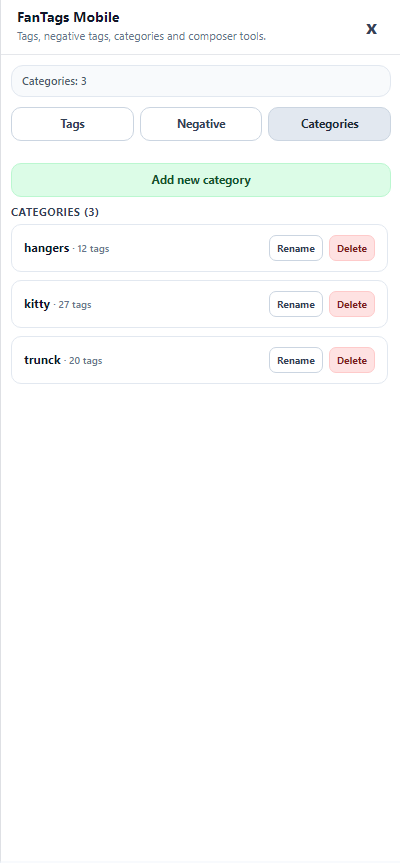
Category manager
Create, rename, or delete categories and keep your tag groups organized for faster posting.
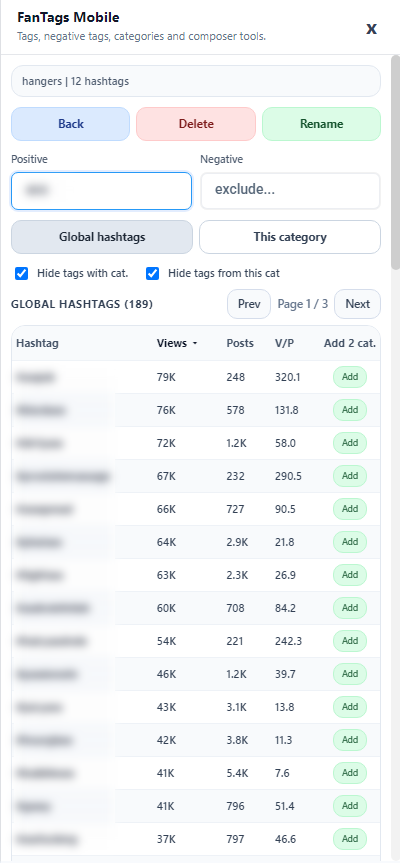
Category hashtags view
Manage one category, search inside it, and add tags directly from global results.
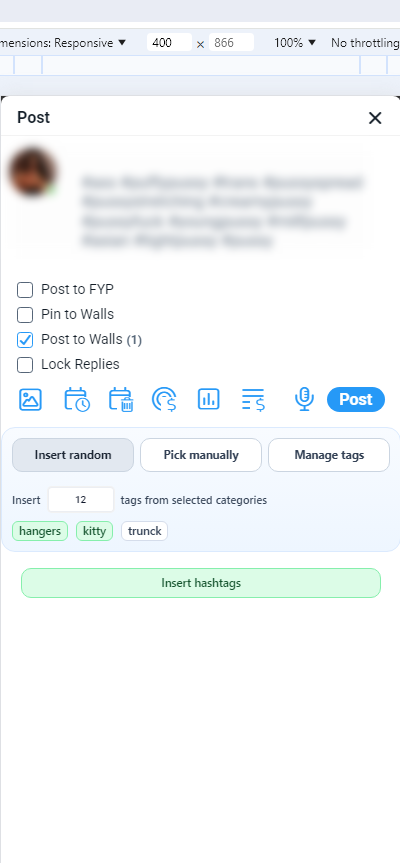
Composer quick insertion
Insert random tags or pick manually while staying inside the Fansly post composer.
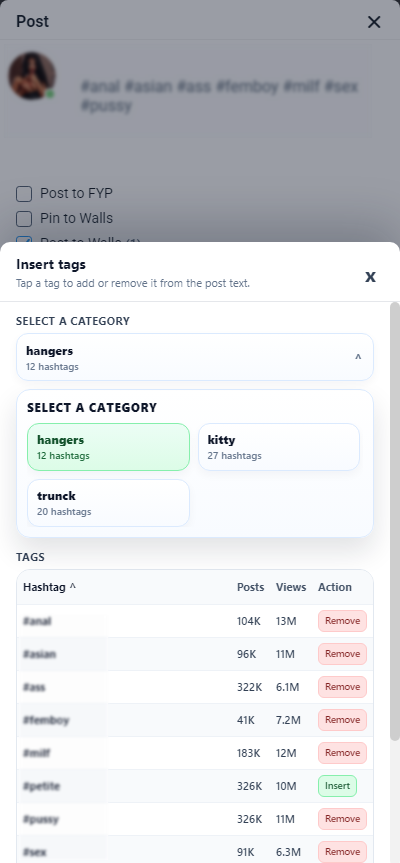
Manual tag picker modal
Open a category, then insert or remove tags one by one from a focused modal.
Install in 60 seconds
Install it on Firefox for Android and start using it immediately. No account migration needed, and the extension stays focused on mobile-first tag operations.
Open Firefox Add-ons listingOpen Firefox for Android and install FanTags Mobile from the add-ons listing.
Grant the required extension permissions in Firefox.
Open Fansly in Firefox for Android and launch FanTags Mobile.
Start inserting tags directly in the composer flow.
Next steps
Pair it with the full FanTags stack
Use FanTags Mobile on Firefox for Android for quick hashtag operations, then use the web app or desktop extension when you need deeper analytics and broader workflow controls.